Streamova — video player for your NAS, PC and USB disks on Android TV
No accounts · No ads · No analytics
Free to try: playback stops after 5 minutes per session. A one-time Unlock purchase removes the limit — no subscription, and the purchase can be restored.
Streamova turns your Android TV into a player for the video you already own: it browses SMB2/3 shares on your NAS or PC and folders on a USB disk or the TV's own storage, then plays your files directly from the source — no copying, no waiting, no server software.
Get it on Google PlayHow it works
Three steps on the TV: add a source, browse it with the remote, press play. Nothing is installed on the server, and no account is created.
01
Add an SMB2/3 source
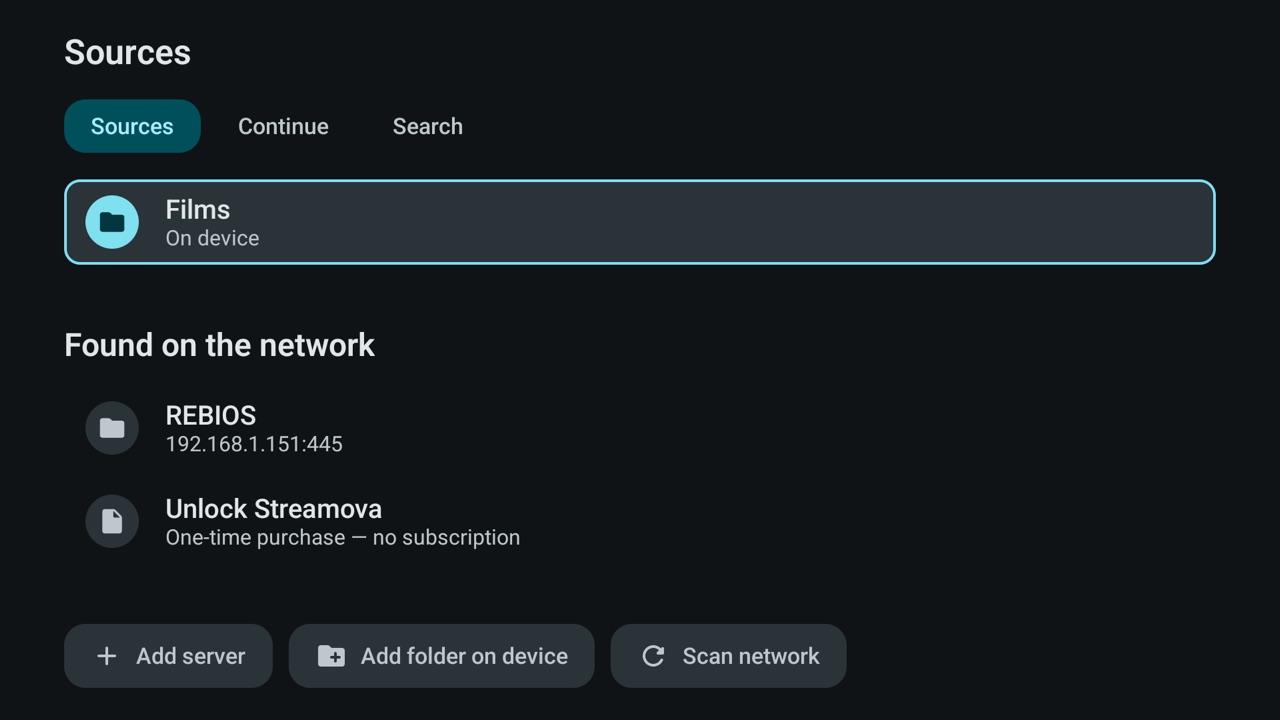
Point Streamova at a shared folder on your NAS, PC or media server. It can scan your local network to find the server, and the password you type can be saved.
02
Or open a folder on the TV
Videos on a USB disk plugged into the TV, or in the TV's own storage, are added with the app's own folder picker, and the folder stays in your source list.
03
Browse and press play
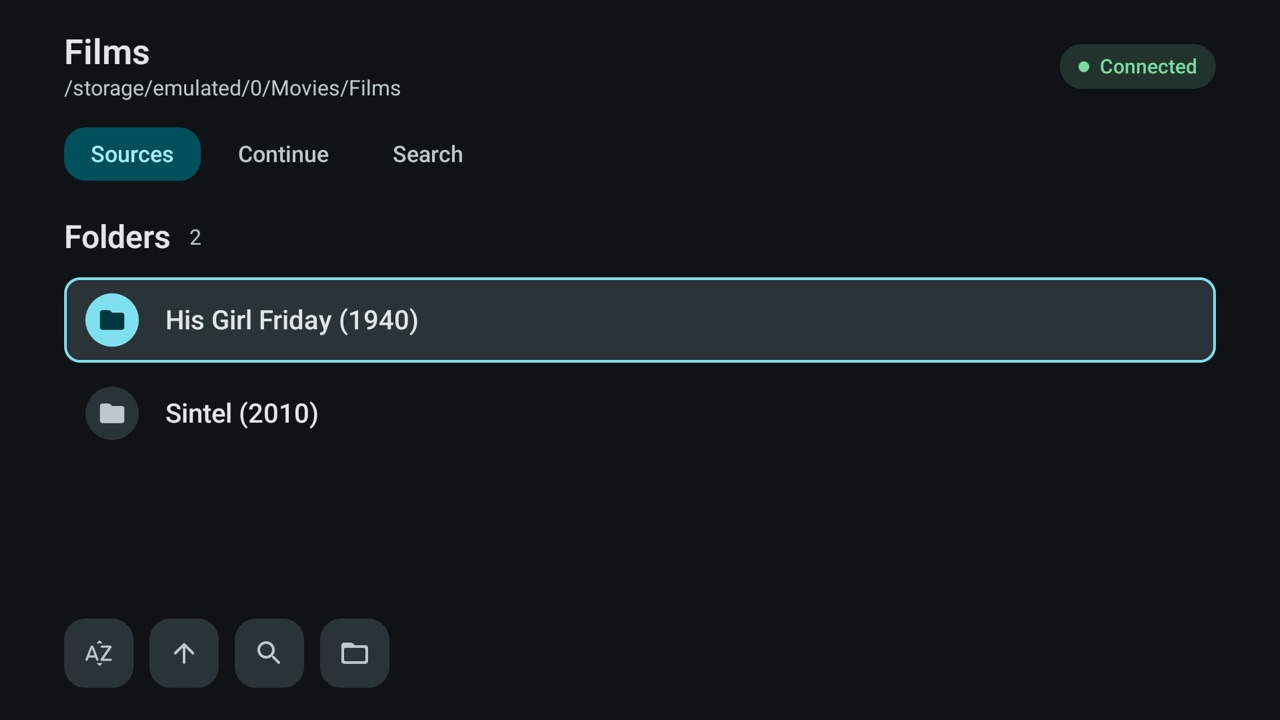
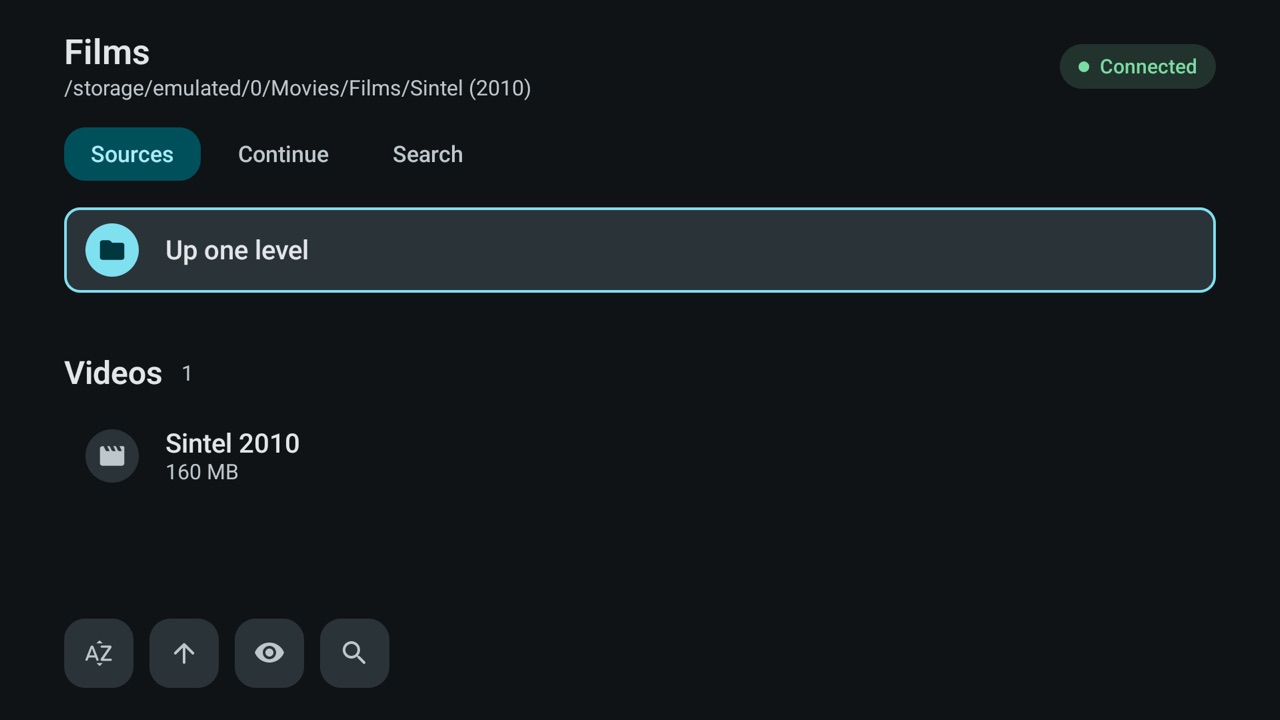
Move through the folders with the D-pad, choose a film or an episode and press play. Video starts straight from the source, never copied to the TV first.
Two kinds of source: a share on the network, or a folder on the TV
Streamova reads video from exactly two places: SMB2/SMB3 network shares and folders on the device itself. A network source is a shared folder on your NAS, your PC or a home media server; because Streamova speaks SMB2 and SMB3 there is nothing to install on the other side — no media server application and no web interface on the NAS. Streamova can scan your local network, list the servers it finds and show the shares they publish, protected ones included. The user name and password you enter are remembered for that source, so you sign in once and browse with a single press on the remote.
A local source is a folder on a USB disk plugged into the TV, on a memory card or in the TV's own storage. It is chosen with the app's own folder picker rather than a system dialog, so the same screen works on every Android TV device with nothing but the D-pad. Local folders are opened read-only by design: Streamova never writes to the disk, never renames a file and never deletes anything, so a library you organised by hand stays exactly as you left it. The same guarantee applies to network shares — Streamova is a browser and a player, not a file manager.
Network share (SMB2/SMB3)
A NAS, a PC, a Mac or a Linux box with SMB2/SMB3 enabled on the same local network. Streamova scans for the server, lists its shares and saves the credentials you enter, and streaming stays inside your home network.
On-device folder
A USB disk, an SD card or the TV's own storage, added with the app's own folder picker. Read-only in every case: nothing on the disk is changed, moved or removed.
What Streamova does on the TV
The interface is available in 13 languages, and every feature below works with the TV remote alone.
Direct streaming, never a copy
Video streams straight from the NAS, PC or USB disk to the player. Streamova never downloads or copies your files to the TV first, so playback starts quickly and the TV's own storage stays free.
Subtitles that actually show
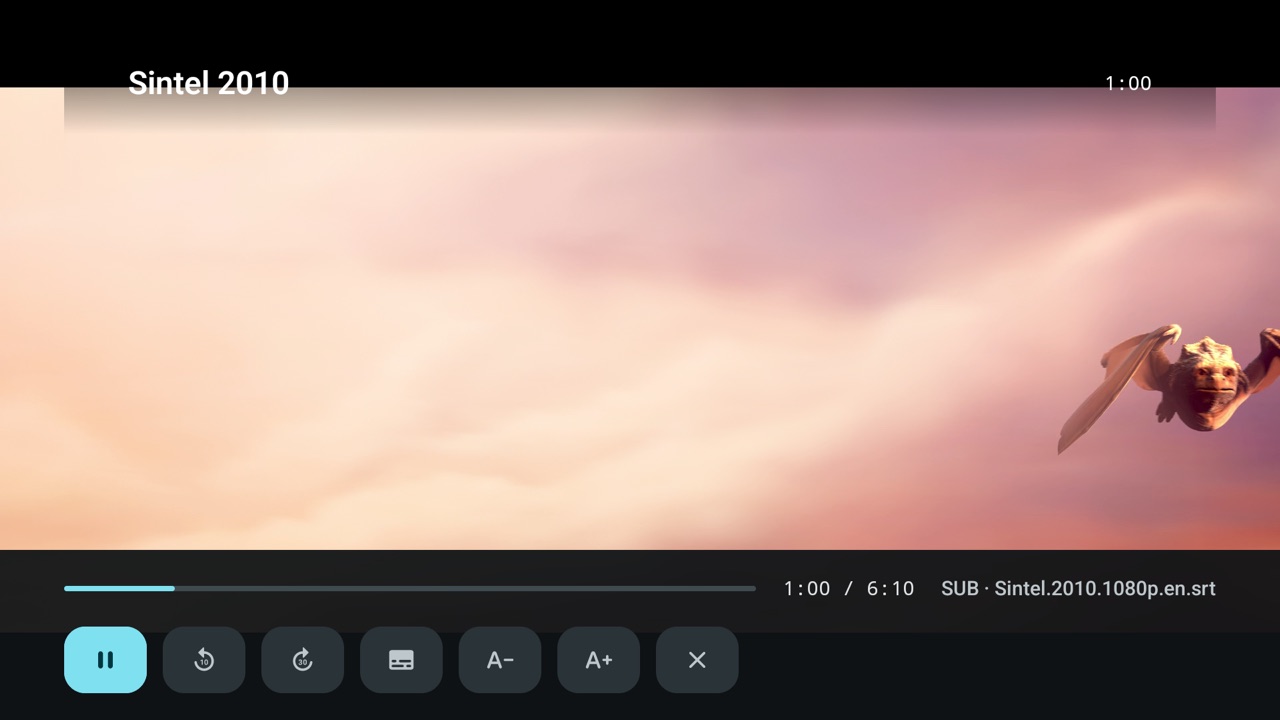
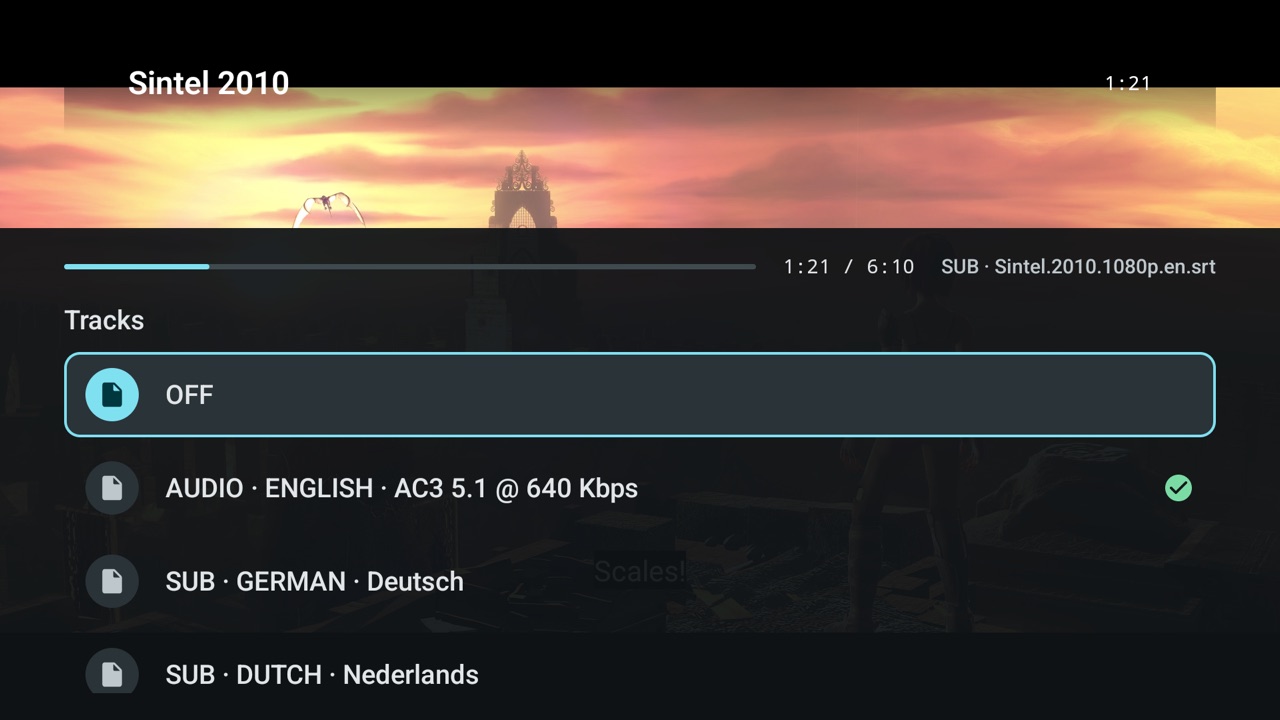
Embedded text tracks and .srt sidecar files next to the video both work, and the encoding is detected automatically — so cp1254 / Windows-1254 Turkish subtitles render correctly instead of turning into unreadable symbols.
Switch tracks while watching
Subtitle and audio tracks are picked from the player itself, so a film carrying several languages can be watched your way without leaving the screen.
Resume where you stopped
Streamova remembers the position of every file and lists what you were watching on the CONTINUE page, so a film started on Friday continues at the same minute on Sunday.
Series aware
Episode numbers are read from the file name in the S01E02 · title form, so episodes are recognised inside a folder and the next file starts with one press.
Search inside a folder
Type two characters on the on-screen keypad and jump straight to the file — in a folder with hundreds of episodes that is seconds instead of a long scroll.
Built for the D-pad remote
Every screen is designed for D-pad navigation and focus is always visible, so you know what a press will do. Nothing needs a touchscreen, a mouse or a phone.
Private and quiet
No accounts, no ads and no analytics. The server password is encrypted on the device with a key held in the Android Keystore, and nothing is sent anywhere except to the server you configured.
What you need, and what is not supported
Android TV device
A smart TV, TV box or streaming stick running Android TV 7.0 or newer, with Google Play available to install the app. Streamova is a leanback app made for the TV.
A TV remote
A standard TV remote is all you need: browsing folders, searching inside them and controlling playback are done with the D-pad and the select button.
For network sources
A NAS or PC with SMB2/SMB3 enabled on the same local network. Playback happens inside your home network, so the internet is not needed while you watch.
For local sources
A USB disk or the TV's own storage holding the video you want to play. The folder is opened read-only and nothing is copied onto the TV.
- Servers that only speak SMB1 — Streamova needs SMB2 or SMB3, so an old share has to be updated on the NAS side.
- Image-based subtitles such as PGS and VobSub — text subtitles and embedded text tracks only.
- FTP and SFTP shares — Streamova connects over SMB only.
- DLNA and UPnP media servers.
- Casting a video from a phone to the TV.
- On-the-fly transcoding — files are played exactly as they are stored.
- Online metadata and poster artwork.
What people use it for
Streamova is built around one routine: your own files, on your own network, on the biggest screen in the house.
The film archive on the sofa
Your NAS stays in the cupboard and Streamova plays from it in the living room: browse the folders with the remote, pick a film, and let resume remember the point where you stopped.
A USB disk without copying
Plug a USB disk into the TV and watch from it directly. Nothing is copied into the TV's storage, so the disk stays your only copy and the TV stays free.
Mixed-language libraries
Turkish subtitles in cp1254 next to UTF-8 ones are no longer a problem: the encoding is detected automatically, and subtitle and audio tracks can be switched while the film keeps running.
Family and guests
Connect with guest access or a saved password so a visitor can open a folder without creating an account anywhere. Nothing on the server changes.
Screenshots
Frequently asked questions
Which SMB versions does Streamova support?
Streamova needs SMB2 or SMB3. Servers that only speak SMB1 are not supported, so an old NAS or router share has to be updated first.
Which subtitle formats can Streamova read?
Subtitle support covers the text formats .srt, .ass, .ssa, .vtt and .smi, plus embedded text tracks. Streamova also reads .srt sidecar files next to the video and detects the encoding automatically, so cp1254 / Windows-1254 Turkish subtitles display correctly.
Does Streamova copy or download my video files?
No. Video streams directly from the source, so files are never downloaded or copied to the TV first. Streamova also never writes to, renames or deletes anything on your server or USB disk.
Is Streamova free or paid?
Streamova is free to try: playback stops after 5 minutes per session. A one-time Unlock purchase removes that limit — it is not a subscription, and the purchase can be restored.
Do I need an account, and does the app show ads?
No accounts, no ads and no analytics. Streamova sends nothing anywhere except to the server you configured yourself, and the interface is available in 13 languages.
Why do my PGS or VobSub subtitles not show up?
PGS and VobSub are image-based subtitles and are not supported. Use a text subtitle instead — an embedded text track or an .srt file next to the video.
Which devices does Streamova run on?
An Android TV device — a smart TV, TV box or stick — running Android 7.0 or newer, plus an ordinary TV remote. Network sources need a NAS or PC with SMB2/SMB3 on the same local network; local sources need a USB disk or the TV's own storage.
Can I add more than one source?
Yes. Several network shares and several local folders can be saved side by side and opened from the sources list — for example the family NAS, a PC share and a USB disk on the TV.
Where is my server password stored?
The server password is encrypted on the device with a key held in the Android Keystore. It is used only to sign in to the server you added, and nothing is sent anywhere else. See the Privacy Policy for the full details.
Other languages
This page and the app are available in the same 13 languages.